Your Ultimate Gaming PC Build Guide Germany
August 14, 2026 15 min read 3,005 words
Unlock unparalleled gaming performance by building your own PC, tailored for the German market and your budget.
Start Your Build Now
Understanding the German PC Market & Component Selection
 Photo: Nicolas Foster / Pexels
Building a gaming PC in Germany offers a unique blend of opportunities and considerations. The German market is highly competitive, featuring a robust ecosystem of online retailers and physical stores that often provide excellent pricing and consumer protection. However, navigating this landscape requires a strategic approach, especially when selecting components that align with your budget and performance expectations. The first crucial step is to define your budget clearly. This isn't just about the total amount; it's about allocating funds wisely across various components to avoid bottlenecks. For instance, a high-end graphics card paired with a low-end CPU will result in suboptimal performance, as the CPU won't be able to feed data fast enough to the GPU. Conversely, an overpowered CPU for a budget GPU is also inefficient. Germany's strong consumer rights, including a 14-day return policy for online purchases (Widerrufsrecht), provide a safety net, but careful planning minimizes the need for returns.
When it comes to component selection, the Graphics Processing Unit (GPU) is arguably the most critical part for gaming performance. Brands like NVIDIA (with their GeForce RTX and GTX series) and AMD (with their Radeon RX series) dominate the market. Your choice here will heavily influence your gaming experience, dictating resolution, frame rates, and graphical settings. Next in line is the Central Processing Unit (CPU). Intel (Core i3, i5, i7, i9) and AMD (Ryzen 3, 5, 7, 9) offer compelling options. For gaming, a mid-to-high-range CPU is generally sufficient, as modern games are often more GPU-bound. However, a powerful CPU is beneficial for multitasking, streaming, or CPU-intensive strategy games. The motherboard acts as the central hub, connecting all your components. Ensure it's compatible with your chosen CPU (socket type, e.g., AM4 for older Ryzen, AM5 for newer Ryzen, LGA1700 for modern Intel) and has enough slots for RAM, M.2 SSDs, and PCIe devices. Brands like Asus, MSI, Gigabyte, and ASRock are popular choices in Germany. Remember to check for features like Wi-Fi, Bluetooth, and sufficient USB ports based on your needs. RAM (Random Access Memory) is vital for smooth multitasking and game loading. 16GB is the current sweet spot for most gaming PCs, with 32GB becoming increasingly popular for high-end builds and future-proofing. Look for DDR4 or DDR5 memory with decent clock speeds (e.g., 3200MHz for DDR4, 6000MHz for DDR5) and low latencies. Storage, typically a combination of a fast NVMe SSD for the operating system and games, and potentially a larger SATA SSD or HDD for mass storage, impacts game loading times significantly. German retailers often have competitive deals on SSDs. Finally, don't overlook the Power Supply Unit (PSU) and case. The PSU must provide enough stable power for all your components, with a little headroom for upgrades. A modular PSU simplifies cable management. The case should offer good airflow, fit all your components, and appeal to your aesthetic preferences. Consider reputable brands like be quiet!, Corsair, Seasonic for PSUs, and Fractal Design, Lian Li, NZXT for cases. For more in-depth component breakdowns, you can refer to dedicated
hardware review sites.
Sourcing Components and Assembly in Germany
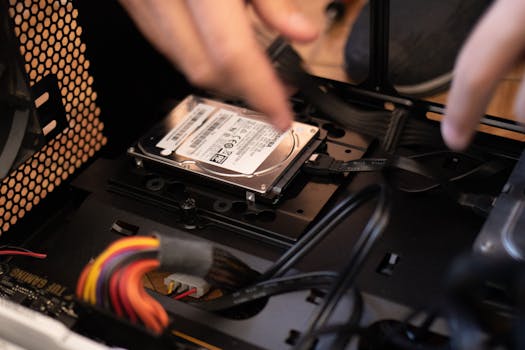 Photo: Athena Sandrini / Pexels
Once you've meticulously planned your component list, the next step involves sourcing these parts within Germany. The German e-commerce landscape for PC hardware is robust, offering several excellent options. Key online retailers include Mindfactory, Alternate, Caseking, and Computeruniverse. These stores often have competitive pricing, frequent sales, and reliable shipping within Germany. Price comparison websites like Geizhals.de are indispensable tools. Geizhals allows you to compare prices across numerous German retailers, helping you find the absolute best deals on each component. It also provides historical price data, so you can gauge if a current offer is genuinely good or if it's worth waiting for a potential price drop. Be sure to factor in shipping costs when comparing prices, as some retailers might offer slightly lower component prices but higher shipping fees. Additionally, check for bundle deals, as sometimes retailers offer discounts when you purchase a CPU and motherboard together, for instance.
Physical stores are less common for individual component purchases than online, but larger electronics chains like MediaMarkt and Saturn occasionally have sales on specific parts. However, for the widest selection and best prices, online is usually the way to go. When ordering, always double-check the retailer's return policy (Widerrufsrecht) and warranty information. German consumer law is quite strong, generally offering a 14-day no-questions-asked return period for online purchases, which provides peace of mind. Warranties for components typically range from 2 to 5 years, depending on the manufacturer and component type. Keep all your invoices and packaging for potential warranty claims.
Now, for the exciting part: assembly. Building a PC can seem daunting, but it's essentially like adult LEGO. Start by preparing your workspace – a clean, well-lit area with plenty of space. Gather your tools: a Phillips head screwdriver, zip ties or Velcro straps for cable management, and optionally, an anti-static wrist strap. The general assembly order is as follows: first, install the CPU and CPU cooler onto the motherboard (often easiest to do this outside the case). Then, install the RAM into the motherboard. Next, mount the motherboard into the PC case, securing it with standoffs and screws. Install your GPU into the primary PCIe slot. Add your M.2 SSDs directly onto the motherboard, and any SATA SSDs/HDDs into their respective drive bays. Route all necessary cables: the 24-pin ATX power connector, 8-pin CPU power, PCIe power for the GPU, SATA power for drives, and front panel connectors (USB, audio, power button, reset button, LEDs). Cable management is crucial not just for aesthetics but also for airflow. Take your time, watch some video tutorials if you're unsure, and don't force anything. Most connectors are designed to fit only one way. Once everything is connected, do a final visual check, then connect your monitor, keyboard, and mouse, and power it on. The first boot can be nerve-wracking, but if everything is connected correctly, you should see the BIOS screen. From there, you can install your operating system, typically Windows 10 or 11, from a USB drive. Remember, patience is key, and troubleshooting is part of the learning process.
Optimizing Performance and Post-Build Essentials
 Photo: FOX ^.ᆽ.^= ∫ / Pexels
Once your gaming PC is physically assembled and powered on, the journey is far from over. The post-build phase is crucial for optimizing performance, ensuring stability, and getting the most out of your investment. The very first step after the initial boot is to enter the BIOS (Basic Input/Output System) or UEFI (Unified Extensible Firmware Interface). Here, you'll need to enable XMP (Extreme Memory Profile) or DOCP (Direct Overclock Profile) for AMD systems to ensure your RAM runs at its advertised speeds. Without this, your high-speed memory might default to a much lower, slower speed, significantly impacting performance. Also, confirm that your boot drive is correctly recognized and prioritized. After exiting the BIOS, install your operating system, preferably Windows 10 or 11, from a bootable USB drive. Ensure you have a valid license key ready.
Driver installation is paramount. Start with the motherboard chipset drivers, which can usually be found on the motherboard manufacturer's website. These drivers are critical for proper communication between your CPU, RAM, and other components. Next, install the latest graphics card drivers directly from NVIDIA's (GeForce Experience) or AMD's (Radeon Software) website. Do not rely on Windows Update for these, as they are often outdated. Up-to-date GPU drivers unlock performance improvements, bug fixes, and support for the latest games. Install any other necessary drivers for peripherals, Wi-Fi adapters, or specific components. Keeping your drivers updated regularly is a habit you should cultivate.
Thermal management is another critical aspect. Monitor your CPU and GPU temperatures, especially under load, using software like HWMonitor, MSI Afterburner, or HWiNFO. High temperatures can lead to thermal throttling, where components reduce their performance to prevent overheating, thereby degrading your gaming experience. Ensure your case fans are properly oriented to create good airflow (intake from front/bottom, exhaust from top/rear). Consider adjusting fan curves in your BIOS or using fan control software to optimize noise levels and cooling performance. Overclocking, while not mandatory, can squeeze extra performance out of your CPU and GPU. However, it requires careful research, incremental adjustments, and thorough stress testing to maintain stability and avoid component damage. Tools like Prime95 for CPU stress testing and FurMark for GPU stress testing are commonly used. Remember that overclocking can increase heat output and power consumption. For those looking to delve deeper into performance tuning, resources like
tech forums and YouTube channels offer advanced guides.
Finally, don't forget about regular maintenance. Keep your PC clean by periodically dusting out fans and heatsinks with compressed air. This prevents dust buildup from impeding airflow and causing overheating. Regularly update your operating system, drivers, and game launchers. Consider investing in a good antivirus solution to protect your system. Back up your important data regularly. By diligently following these post-build essentials, you'll ensure your custom-built gaming PC in Germany delivers optimal performance and a smooth, enjoyable gaming experience for years to come.
Common Mistakes and Smart Tips for Your Gaming PC Build Germany
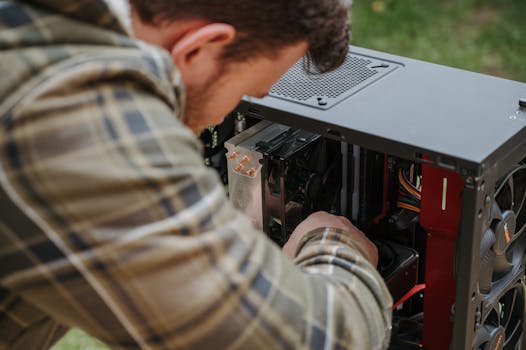 Photo: Anete Lusina / Pexels
Building a gaming PC is a rewarding experience, but it's easy to stumble into common pitfalls, especially for first-timers. Being aware of these can save you time, money, and frustration. Here are some common mistakes to avoid and smart tips to ensure a smooth build process in Germany:
**Common Mistakes to Avoid:**
* **Ignoring Component Compatibility:** This is perhaps the most frequent mistake. A CPU might not fit a motherboard's socket, or RAM might not be compatible with the CPU/motherboard combination (e.g., DDR4 vs. DDR5). Always use PCPartPicker.com or similar tools to verify compatibility before purchasing anything.
* **Under-budgeting the PSU:** A cheap or underpowered PSU can lead to instability, component damage, and even fire hazards. Always choose a reputable brand with sufficient wattage (check online PSU calculators) and at least an 80 Plus Bronze rating for efficiency.
* **Poor Cable Management:** While seemingly aesthetic, bad cable management obstructs airflow, leading to higher temperatures and reduced component lifespan. Take your time to route cables neatly behind the motherboard tray.
* **Forgetting Thermal Paste:** If your CPU cooler doesn't come with pre-applied thermal paste, you must apply a small amount (pea-sized dot) before mounting the cooler. Without it, heat transfer from the CPU to the cooler will be inefficient, causing overheating.
* **Not Updating Drivers:** Relying on default Windows drivers or outdated ones will severely limit your PC's performance. Always install the latest chipset and GPU drivers directly from the manufacturers' websites.
* **Overspending on Aesthetics:** While RGB lighting and fancy cases are appealing, prioritize performance components first. A budget RGB case with a powerful GPU will outperform a high-end RGB case with an underpowered GPU every time.
**Smart Tips for a Successful Build:**
* **Watch Build Guides:** Before you even unbox components, watch several YouTube build guides. Seeing the process visually can demystify it and highlight crucial steps. Gamers Nexus, JayzTwoCents, and Linus Tech Tips offer excellent resources.
* **Use Geizhals.de Religiously:** This German price comparison site is your best friend. It helps you find the cheapest prices across various retailers and track price history.
* **Buy Components During Sales:** Black Friday, Cyber Monday, Amazon Prime Day, and specific retailer sales (Mindfactory's MindStar deals) are excellent times to snag components at a discount. Patience can save you significant money.
* **Test Components Outside the Case (Bench Testing):** Before fully assembling, do a minimal build outside the case (CPU, cooler, RAM, GPU, PSU, motherboard) and connect it to a monitor. This allows you to verify that core components are working before you spend hours on cable management.
* **Keep Manuals Handy:** The motherboard manual is especially important. It contains crucial information about header locations, BIOS settings, and troubleshooting codes.
* **Ground Yourself:** Use an anti-static wrist strap or regularly touch a metal part of your case (plugged into the wall but turned off at the PSU switch) to discharge static electricity, which can damage sensitive components.
* **Don't Rush:** Take your time. Building a PC isn't a race. Rushing leads to mistakes. If you get stuck, take a break and come back with a fresh perspective.
* **Leverage German Consumer Protection:** Be aware of your Widerrufsrecht (14-day return policy for online purchases) and warranty rights. Keep all receipts and original packaging.
* **Join Online Communities:** German PC building forums (e.g., Hardwareluxx Forum, ComputerBase Forum) or international subreddits (r/buildapc) can offer valuable advice and troubleshooting help.