✓ Most home network breaches occur due to weak passwords or outdated firmware.
✓ Germany has strict data protection laws (DSGVO) that extend to personal network security.
✓ A VPN is crucial for protecting data when accessing public Wi-Fi, but also enhances home network security.
✓ IoT devices are often the weakest link in a home network, requiring special attention.
✓ Regular security audits and updates are non-negotiable for ongoing protection.
How It Works
1
Assess Your Current Setup
Identify all connected devices, from smart TVs to laptops, and understand your current router's capabilities and age. This initial overview helps pinpoint potential vulnerabilities and areas for improvement.
2
Implement Core Security Measures
Change default router credentials, enable strong WPA3 encryption, and create a separate guest network. These fundamental steps immediately elevate your network's defense against common attacks.
3
Harden Your Devices and Software
Update all device firmware and operating systems, install reputable antivirus software, and configure firewalls. Each connected device represents a potential entry point, so securing them individually is vital.
4
Maintain and Monitor Regularly
Schedule periodic security audits, monitor network activity for anomalies, and stay informed about new threats. Network security is an ongoing process, not a one-time setup, requiring continuous vigilance.
Understanding the German Landscape of Home Network Security
Photo: Lukas Blazek / Pexels
Setting up a home network securely in Germany involves more than just technical configurations; it also means navigating a unique legal and cultural landscape that prioritizes data privacy and security. Germany, renowned for its stringent data protection laws, particularly the General Data Protection Regulation (DSGVO), sets a high bar for how personal data is handled, even within the confines of a private network. This means that users are not only responsible for protecting their own data but also for ensuring that their network doesn't inadvertently become a source of data leakage for others, especially if guests connect. The average German household often features a mix of modern smart home devices, traditional computers, and mobile devices, all of which contribute to the network's attack surface. Therefore, a comprehensive security strategy must address each of these components individually while ensuring they operate cohesively under a strong security umbrella. This section will delve into the specific considerations for German users, from understanding ISP-provided router limitations to the legal implications of unsecured Wi-Fi. For instance, many German internet service providers (ISPs) supply routers that come with pre-configured settings, which, while convenient, are often not optimized for maximum security. Users are strongly advised to immediately change default passwords and review security settings upon installation. Furthermore, the concept of 'Störerhaftung' (liability for interference), though largely reformed, still highlights the importance of securing your network to prevent its misuse by third parties, emphasizing the need for robust encryption and access control. We'll explore how to leverage the features of common German ISP routers, such as those from AVM (Fritz!Box), Telekom, or Vodafone, to enhance security. This includes configuring strong WPA3 encryption, setting up separate guest networks with isolated access, and disabling Universal Plug and Play (UPnP) which can create security vulnerabilities. Understanding these nuances is the first crucial step in establishing a truly secure home network in Germany, ensuring compliance with local expectations and protecting against regional cyber threats. Learn more about data privacy best practices to ensure your home network aligns with German standards. We will also touch upon the increasing sophistication of cyber attacks targeting home users, from phishing attempts to ransomware, and how a proactive approach to network security can act as the primary defense. The German Federal Office for Information Security (BSI) regularly publishes recommendations for private users, which serve as an excellent resource for staying informed and implementing the latest security advice. Incorporating these guidelines into your home network setup is not just a recommendation but a vital part of safeguarding your digital life in Germany.
Essential Hardware and Software for a Secure Home Network
Photo: Christina Morillo / Pexels
To effectively set up a home network securely, one must consider both the physical hardware and the crucial software components that form its backbone. The router is the undisputed central piece of your home network, acting as the gateway between your devices and the internet. Investing in a high-quality, modern router that supports the latest security protocols, such as WPA3 encryption, is paramount. Older routers might only support WPA2 or even WEP, which are significantly less secure and vulnerable to modern hacking techniques. Beyond the router, consider a network-attached storage (NAS) device if you plan to store significant amounts of personal data; these require their own set of security configurations, including strong access controls and regular firmware updates. For larger homes or those with many devices, mesh Wi-Fi systems can provide excellent coverage, but ensure they offer robust security features. On the software front, a comprehensive security suite is non-negotiable. This includes antivirus software installed on all computers and mobile devices, a firewall (both hardware-based within your router and software-based on your devices), and potentially a Virtual Private Network (VPN) service. A VPN encrypts your internet traffic, making it unreadable to third parties, which is particularly useful when connecting to public Wi-Fi but also adds an extra layer of privacy and security even on your home network. Furthermore, ensuring all operating systems (Windows, macOS, Linux, Android, iOS) and applications are kept up-to-date is a fundamental security practice. Software updates often contain critical security patches that address newly discovered vulnerabilities. Neglecting these updates leaves your devices and, by extension, your entire network, exposed to potential exploits. Consider also employing a robust password manager to create and store unique, complex passwords for all your network devices and online accounts. Reusing passwords or using weak ones is one of the most common causes of security breaches. For IoT devices, which are notorious for their security weaknesses, look for brands that prioritize security and offer regular firmware updates. Many IoT devices ship with default credentials that are widely known, making them easy targets if not changed immediately. Disabling unnecessary services on these devices and isolating them on a separate VLAN or guest network can significantly reduce their risk profile. Finally, a robust backup strategy is an integral part of network security. Should your network be compromised by ransomware or data loss, having recent, encrypted backups of your important data can be a lifesaver. This combination of robust hardware, vigilant software management, and smart device configuration forms the bedrock of a truly secure home network.
Advanced Techniques for Fortifying Your Home Network Defenses
Photo: Tima Miroshnichenko / Pexels
While basic security measures provide a good foundation, truly fortifying your home network against sophisticated threats requires implementing advanced techniques. One critical step is segmenting your network using Virtual Local Area Networks (VLANs). This allows you to create separate, isolated networks for different types of devices, such as smart home gadgets (IoT devices), guest Wi-Fi, and your main personal devices. If an IoT device, often a weak link, is compromised, the attacker would be confined to that specific VLAN and unable to access your sensitive data or other devices on your primary network. While some consumer routers offer basic guest network isolation, more advanced routers or dedicated network hardware are needed for full VLAN implementation. Another powerful technique is setting up a robust firewall with intrusion detection/prevention systems (IDS/IPS). Many modern routers come with basic firewall capabilities, but configuring them correctly, including port forwarding rules, can be complex. Ideally, you should block all incoming connections by default and only open specific ports when absolutely necessary, for example, for a gaming server or remote access. An IDS/IPS actively monitors network traffic for malicious patterns and can automatically block suspicious activity, providing an additional layer of defense against sophisticated attacks. Furthermore, consider implementing DNS filtering at the router level. Services like OpenDNS or Cloudflare DNS allow you to block access to known malicious websites, phishing sites, and content categories across all devices connected to your network, without needing individual software installations. This is particularly effective in preventing family members from accidentally visiting harmful sites. For those with a higher technical proficiency, setting up a Raspberry Pi as a network-wide ad blocker and DNS sinkhole (like Pi-hole) can dramatically improve security and privacy by blocking ads and known malware domains before they even reach your devices. Regular firmware updates for all network hardware – not just your router – are paramount. This includes switches, access points, and NAS devices. Manufacturers frequently release updates to patch security vulnerabilities, and delaying these updates leaves your network exposed. Discover more about network monitoring tools to keep an eye on unusual activity. Beyond technical configurations, adopting a 'zero-trust' mindset for your home network is highly beneficial. This means not inherently trusting any device or user, even within your own network, and verifying every access request. While full zero-trust architecture can be complex for a home environment, applying its principles – such as strong authentication for all devices, least-privilege access, and micro-segmentation – can significantly enhance security. Regularly reviewing network logs, if your router provides them, can also help identify unusual activity or attempted breaches, allowing you to react proactively. These advanced strategies, when combined with fundamental security practices, create a multi-layered defense system that is significantly more resilient against a wide spectrum of cyber threats.
Common Mistakes to Avoid and Best Practices for Ongoing Security
Photo: Christina Morillo / Pexels
Even with the best intentions, several common mistakes can undermine a home network's security. Avoiding these pitfalls and adopting a routine of best practices is crucial for maintaining a secure environment. The most frequent error is neglecting to change default router credentials. Manufacturers often ship devices with generic usernames and passwords (e.g., 'admin'/'password'), which are widely known and easily exploited. Always change these immediately to strong, unique passwords. Another significant oversight is failing to keep firmware and software updated. Outdated software is a primary vector for attacks, as patches often address critical vulnerabilities. Enable automatic updates wherever possible, or schedule regular manual checks. Using weak or easily guessable Wi-Fi passwords is also a major security flaw; opt for WPA3 encryption with a long, complex passphrase. Moreover, many users overlook the security of their Internet of Things (IoT) devices. These devices, from smart bulbs to security cameras, are often manufactured with minimal security in mind and can serve as backdoors into your network. Isolate them on a separate guest network or VLAN, change their default passwords, and disable any features you don't use. Another mistake is enabling Universal Plug and Play (UPnP) on your router. While convenient for some applications, UPnP automatically opens ports on your firewall, potentially exposing your network to external threats. It's generally safer to disable UPnP and manually configure port forwarding if needed. Finally, oversharing network access or credentials, even with trusted individuals, can lead to unintended security risks. Provide guest network access instead of your primary Wi-Fi password. For ongoing security, establish a routine for reviewing your network's health. This includes periodically checking your router's connected devices list for any unauthorized access, reviewing security logs, and performing occasional vulnerability scans of your network (using tools like Nmap if you're technically inclined). Implement a strong backup strategy for all critical data, preferably using encrypted, offsite storage, to mitigate the impact of ransomware or data loss. Consider using a reputable VPN service for all internet traffic, even within your home network, for an added layer of encryption and privacy. Educate yourself and your family members about phishing, malware, and social engineering tactics, as human error remains a significant factor in security breaches. Regularly test your security measures, perhaps by attempting to connect from an unknown device or trying to access restricted areas, to ensure they are working as intended. By diligently avoiding these common mistakes and consistently applying best practices, you can establish and maintain a robustly secure home network.
Comparison
Feature
Best Option
Alternative 1 (Mid-Range)
Alternative 2 (Budget)
Router Security Protocol
WPA3
WPA2-Enterprise
WPA2-Personal
Network Segmentation
VLANs
Guest Network Isolation
None
Firewall Type
Hardware with IDS/IPS
Router Firewall
Basic Router Firewall
DNS Security
Encrypted DNS (DoH/DoT) + Filtering
DNS Filtering
Default ISP DNS
IoT Device Isolation
Dedicated VLAN
Guest Network
Same Network
Automatic Updates
Router & Device Firmware
Router Firmware
Manual Checks
What Readers Say
★★★★★
"This guide was incredibly thorough and easy to follow, even for someone not highly technical. I feel so much more confident about how to set up my home network securely now, especially with the German-specific tips."
Anja Schmidt · Berlin, Germany
★★★★★
"I used to just use the default settings on my Fritz!Box. After reading this, I implemented a guest network and updated all my IoT devices. The peace of mind is invaluable."
Maximilian Bauer · Munich, Germany
★★★★★
"My internet speed actually improved after following the advice on optimizing router settings, and I've significantly reduced the risk of cyber threats. It's a must-read for anyone in Germany wanting to set up a home network securely."
Lena Fischer · Hamburg, Germany
★★★★★
"The guide is excellent, though some of the advanced techniques like VLANs require a bit more technical know-how than I initially had. Still, the fundamental advice was practical and immediately applicable."
Thomas Wagner · Cologne, Germany
★★★★★
"As a freelancer, my home network is critical for my business. This article provided a comprehensive checklist to ensure my setup is not just functional, but also robustly secure against potential data breaches."
Sarah Müller · Stuttgart, Germany
Frequently Asked Questions
What is the single most important step to set up a home network securely?
The single most important step is to change all default passwords on your router and any connected devices immediately. Default credentials are a huge security vulnerability and are often the first target for attackers. Use strong, unique passwords for every device and service.
Is a VPN necessary for home network security in Germany?
While not strictly 'necessary' for basic home network operation, a VPN significantly enhances privacy and security. It encrypts your internet traffic, protecting it from your ISP and potential eavesdroppers, and is especially crucial when using public Wi-Fi. For home use, it adds an extra layer of data protection.
How often should I update my router's firmware?
You should check for and apply router firmware updates as soon as they are available. Manufacturers frequently release updates to patch security vulnerabilities and improve performance. Many modern routers offer automatic updates, which you should enable if available.
How much does it cost to set up a home network securely?
The cost can vary significantly. Many basic security improvements (like changing passwords, enabling WPA3, and updating software) are free. Investing in a good quality, secure router might cost between 100-300 EUR. A VPN subscription typically ranges from 3-10 EUR per month. Advanced setups with dedicated security hardware could be more.
How does WPA3 compare to WPA2 for home network security?
WPA3 is the latest and most secure encryption protocol, offering significant improvements over WPA2, especially in preventing offline dictionary attacks and providing individualized data encryption for each connection. If your devices and router support WPA3, it is always the preferred choice for maximum security.
Who should prioritize setting up a home network securely?
Everyone with an internet connection should prioritize setting up a home network securely. This includes individuals, families, and especially those who work from home, store sensitive personal data, or use many smart home (IoT) devices. Protecting your digital life is crucial for everyone.
Are smart home devices a security risk for my home network?
Yes, smart home (IoT) devices can be significant security risks due to often weak default security, infrequent updates, and potential backdoors. It's crucial to change their default passwords, update their firmware regularly, and ideally isolate them on a separate guest network or VLAN to prevent them from compromising your main network.
What are the future trends in home network security?
Future trends include increased adoption of AI-powered threat detection at the router level, more widespread use of encrypted DNS (DoH/DoT), greater emphasis on network segmentation for IoT devices, and enhanced privacy features built directly into network hardware. Zero-trust principles will also become more common in home environments.
By diligently following these steps and best practices, you can effectively how to set up a home network securely, safeguarding your personal data and digital privacy against the myriad of online threats. Take control of your home network's security today and enjoy a safer, more robust online experience in Germany.
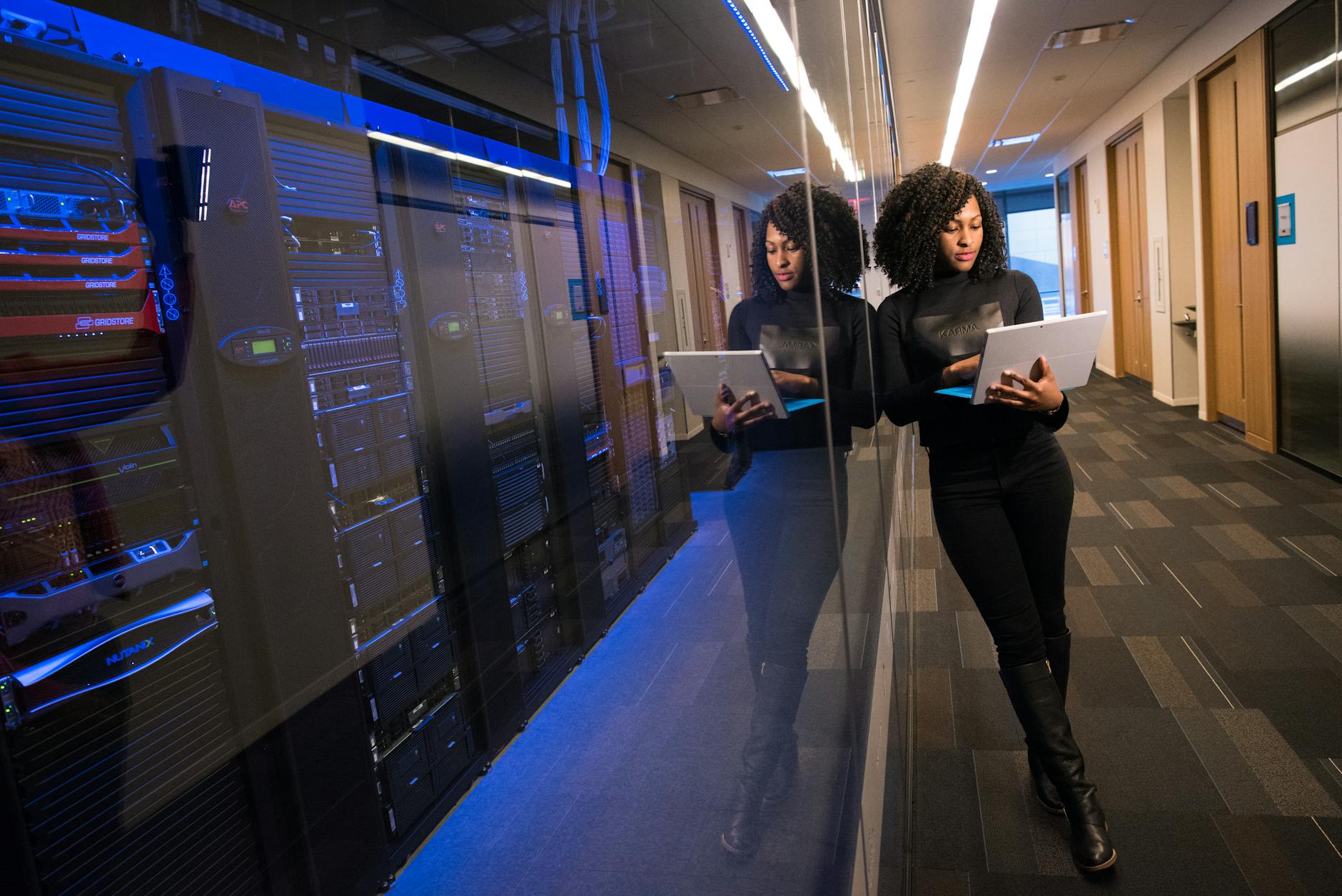
 Photo: Lukas Blazek / Pexels
 Photo: Christina Morillo / Pexels
 Photo: Tima Miroshnichenko / Pexels