Unlocking Performance: What Are Solid State Drives Benefits?

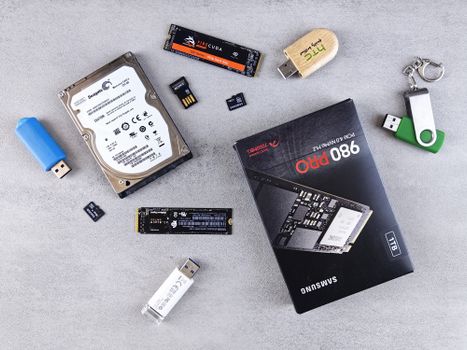
Flat lay of various computer data storage devices on a gray surface.Photo: Andrey Matveev / Pexels

Unlocking Performance: What Are Solid State Drives Benefits?

Experience unparalleled speed, reliability, and efficiency for your computer with the power of Solid State Drives.

Upgrade Your PC Today

Key Takeaways

  • ✓ SSDs offer significantly faster boot times and application loading compared to HDDs.
  • ✓ Their lack of moving parts makes them more durable and resistant to physical shock.
  • ✓ SSDs consume less power, leading to longer battery life for laptops and cooler operation.
  • ✓ They operate silently, as there are no mechanical components to generate noise.

How It Works

1
Data Storage in Flash Memory

Unlike traditional hard drives that use spinning platters, SSDs store data on interconnected flash memory chips. These chips, typically NAND-based, retain data even when power is off.

2
Controller Management

A sophisticated controller manages the data flow, translating logical addresses from the operating system to physical locations on the flash memory. This controller is crucial for wear leveling, error correction, and garbage collection.

3
No Moving Parts

The absence of mechanical components means data can be accessed almost instantaneously without waiting for platters to spin or read/write heads to move. This fundamental difference is key to SSDs' speed advantage.

4
High-Speed Data Transfer

Data is transferred electronically over high-speed interfaces like SATA or NVMe, allowing for sequential read/write speeds that far surpass those of conventional hard drives. This results in quicker system responsiveness.

Unleashing Blazing Speed and Responsiveness with SSDs

Hands rapidly typing on a laptop, illustrating speed and technology in a digital work environment.Photo: cottonbro studio / Pexels
One of the most compelling aspects when considering what are solid state drives benefits is their unparalleled speed. Traditional Hard Disk Drives (HDDs) rely on spinning platters and moving read/write heads to access data. This mechanical process introduces significant latency, meaning there's a delay between when your computer requests data and when the drive can actually deliver it. Solid State Drives, on the other hand, utilize flash memory to store data, similar to a USB stick, but on a much larger and more sophisticated scale. Because there are no moving parts, data can be accessed almost instantaneously. This translates directly into a dramatically improved user experience across virtually all computing tasks. Imagine booting up your operating system in mere seconds, rather than waiting minutes. Applications that once took a noticeable time to load, such as demanding photo editing software, complex video games, or large business applications, now snap open almost instantly. File transfers, whether moving large video files or backing up important documents, are completed in a fraction of the time. This speed isn't just a luxury; it's a fundamental shift in how you interact with your computer. For professionals, it means less time waiting and more time being productive. For gamers, it means faster level loading and smoother gameplay. For everyday users, it simply means a more enjoyable and less frustrating computing experience. The difference between an HDD and an SSD in terms of speed is often described as night and day, and once you've experienced the responsiveness of an SSD, it's difficult to go back to the slower performance of a mechanical drive. This benefit alone is often enough to justify the upgrade for many users, making it a cornerstone of what are solid state drives benefits. Furthermore, modern SSDs, especially those utilizing the NVMe (Non-Volatile Memory Express) interface, push these speed boundaries even further, offering theoretical and real-world performance vastly superior to older SATA-based SSDs and making even fast HDDs seem sluggish. Understanding the profound impact of this speed on daily operations is crucial for anyone evaluating storage options. Learn more about NVMe technology and how it revolutionizes data transfer speeds.

Enhanced Durability and Reliability for Your Data
Detailed black and white image of electronic circuit board components for technology backgrounds.Photo: Sergei Starostin / Pexels
Beyond speed, a critical aspect of what are solid state drives benefits lies in their superior durability and reliability. The Achilles' heel of traditional HDDs has always been their mechanical nature. The delicate spinning platters and precise read/write heads are susceptible to damage from drops, bumps, or even strong vibrations. A laptop falling off a desk with an HDD inside often spells disaster for the stored data. SSDs, by contrast, are solid-state devices, meaning they contain no moving parts whatsoever. This fundamental design difference makes them inherently far more robust. Imagine a scenario where your laptop experiences an accidental fall. With an HDD, the impact could cause the read/write heads to crash into the platters, leading to data corruption or complete drive failure. An SSD, however, is much more likely to withstand such an impact without any ill effects. This makes them an ideal choice for mobile devices like laptops, tablets, and even ruggedized industrial computers where physical shocks are a common occurrence. For users who frequently travel or work in dynamic environments, the peace of mind that comes with an SSD's enhanced durability is invaluable. Furthermore, the absence of moving parts eliminates wear and tear associated with mechanical components, such as bearings and motors. While flash memory does have a finite number of write cycles, modern SSDs employ sophisticated wear-leveling algorithms and over-provisioning techniques to distribute data writes evenly across all memory cells, significantly extending their lifespan beyond what was initially thought possible. This intelligent management ensures that the drive remains reliable for many years, often outlasting the rest of the computer's components. This inherent resilience translates into a lower risk of data loss due to physical damage, making SSDs a more reliable choice for storing your precious photos, important documents, and critical business files. The reduced likelihood of mechanical failure is a silent but significant benefit, contributing to the overall longevity and stability of your computing system. This reliability factor is a key differentiator when evaluating what are solid state drives benefits against older storage technologies.

Energy Efficiency and Silent Operation: A Cooler, Quieter PC
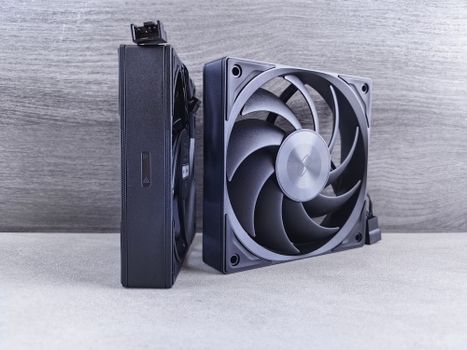
Side-by-side view of two high-performance computer cooling fans on a neutral background.Photo: Andrey Matveev / Pexels
The operational characteristics of Solid State Drives extend far beyond raw performance and durability, contributing significantly to a more pleasant and efficient computing environment. When discussing what are solid state drives benefits, their energy efficiency and silent operation are often highlighted as major advantages, especially for laptops and small form factor PCs. Because SSDs lack any mechanical components that need to spin or move, they consume considerably less power than traditional Hard Disk Drives. This reduced power consumption has several positive ripple effects. For laptop users, it directly translates into longer battery life. A system equipped with an SSD will typically run for a longer duration on a single charge compared to an identical system with an HDD, allowing for extended productivity or entertainment on the go. In desktop systems, lower power draw means less heat generation. Less heat translates to a cooler running system, which in turn reduces the need for aggressive fan speeds. This brings us to another significant benefit: silent operation. HDDs, with their spinning platters and moving read/write heads, produce audible noise – a whirring or clicking sound that can be particularly noticeable in quiet environments or during intensive operations. SSDs, being entirely electronic, operate in complete silence. This absence of mechanical noise contributes to a much more serene computing experience, whether you're working late at night, watching a movie, or simply enjoying a peaceful environment. Imagine a workstation where the only sound is the gentle hum of case fans, or a laptop that runs virtually silently even under load. This quiet operation is a welcome change for anyone sensitive to computer noise. Furthermore, the reduced heat generation not only contributes to a quieter system but also potentially extends the lifespan of other internal components, as they are not subjected to as much thermal stress. This holistic improvement in system environment and efficiency underscores the comprehensive nature of what are solid state drives benefits, making them a wise investment for any computer user. Explore how energy-efficient components impact laptop battery life for even greater understanding.

Optimizing Your System: Tips for Maximizing SSD Benefits

To truly unlock the full potential of what are solid state drives benefits, it's important to adopt certain practices and avoid common pitfalls. While SSDs are largely plug-and-play, a few optimizations can ensure you get the best performance and longevity from your investment. Here are some key tips: * **Enable TRIM:** Ensure your operating system has TRIM enabled. TRIM is a command that helps the SSD manage its flash memory more efficiently by telling the drive which blocks of data are no longer in use and can be erased. This prevents performance degradation over time. Most modern operating systems (Windows 7+, macOS, Linux) enable TRIM by default for SSDs, but it's worth checking. * **Avoid Defragmentation:** Unlike HDDs, SSDs do not benefit from defragmentation. In fact, defragmenting an SSD can actually reduce its lifespan by unnecessarily writing data. Since there are no moving parts, the physical location of data doesn't affect access speed on an SSD. * **Leave Some Free Space (Over-provisioning):** It's generally recommended to leave about 10-15% of your SSD's capacity unallocated. This allows the SSD controller to perform wear-leveling and garbage collection tasks more effectively, which are crucial for maintaining performance and extending the drive's lifespan. * **Update Firmware:** Periodically check for firmware updates for your SSD. Manufacturers often release updates that improve performance, stability, and bug fixes. These can be downloaded from the SSD manufacturer's website. * **Use the Right Interface:** For optimal speed, ensure your SSD is connected via the fastest available interface on your motherboard. For M.2 SSDs, this usually means an NVMe slot if available, rather than a SATA M.2 slot. For 2.5-inch SSDs, ensure you're using a SATA III port. * **Don't Overfill:** While SSDs are efficient, filling them to near capacity can sometimes impact performance as the controller has less free space to work with for wear leveling and garbage collection. Try to keep some breathing room. By following these simple guidelines, you can ensure your SSD delivers peak performance and reliability for years to come, truly making the most of what are solid state drives benefits. Ignoring these tips won't necessarily break your SSD instantly, but adhering to them will contribute significantly to its long-term health and your satisfaction.

Comparison

FeatureSolid State Drive (SSD)Hard Disk Drive (HDD)NVMe SSD
Speed (Boot/Load)Extremely FastSlowUnrivaled Speed
DurabilityHigh (No moving parts)Low (Mechanical parts)High (No moving parts)
NoiseSilentAudible (Whirring/Clicking)Silent
Power ConsumptionLowHighModerate (Can be higher than SATA SSD under load)
Cost per GBHigherLowerHighest
Form Factors2.5", M.2, U.23.5", 2.5"M.2, U.2, PCIe Add-in Card

What Our Readers Say

5 ★★★★★

"Upgrading to an SSD was the best decision for my old laptop. The boot times went from several minutes to under 15 seconds! It's incredible what are solid state drives benefits for everyday use."

5 ★★★★★

"My photo editing workflow is so much smoother now. Applications open instantly and large files load without a hitch. The silent operation is a bonus, making my workspace much calmer."

5 ★★★★★

"I replaced my HDD with an SSD in my gaming PC, and the difference in load times for games is phenomenal. I'm consistently the first to load into matches, which is a clear competitive advantage. What are solid state drives benefits are undeniable for gamers."

4 ★★★★☆

"The speed increase is fantastic, and I appreciate the durability for my portable workstation. While the initial cost was a bit higher than an HDD, the long-term performance and reliability make it worth it."

5 ★★★★★

"As a researcher dealing with large datasets, the I/O performance of my NVMe SSD has significantly cut down analysis times. It's truly transformative for data-intensive tasks. The energy efficiency is also a plus for our lab's sustainability goals."

Frequently Asked Questions

What is the single biggest advantage of an SSD?
The single biggest advantage of an SSD is its speed. It offers significantly faster boot times, application loading, and file transfer speeds compared to traditional HDDs, thanks to its use of flash memory and lack of moving parts.
Are SSDs really more reliable than HDDs?
Yes, SSDs are generally more reliable than HDDs in terms of physical durability. Without moving parts, they are much less susceptible to damage from drops or impacts, reducing the risk of mechanical failure and data loss.
How do I install an SSD in my computer?
Installing an SSD typically involves opening your computer case, securing the SSD in an available drive bay (for 2.5-inch SATA) or M.2 slot, connecting the necessary data and power cables (for SATA), and then initializing and formatting the drive in your operating system. For M.2 NVMe, it's usually just plugging it into the slot and securing it with a screw.
Are SSDs worth the higher cost compared to HDDs?
For most users, the benefits of SSDs in terms of speed, responsiveness, durability, and quiet operation far outweigh their higher cost per gigabyte. The improved user experience and productivity gains make them a worthwhile investment for primary drives.
What's the difference between SATA SSDs and NVMe SSDs?
SATA SSDs connect via the SATA interface and offer speeds up to around 550 MB/s. NVMe SSDs use the PCIe interface, which is much faster, offering speeds multiple times greater than SATA, often exceeding 3000 MB/s, making them ideal for high-performance tasks.
Who should prioritize upgrading to an SSD?
Anyone looking for a significant performance boost in their computer should prioritize an SSD upgrade. This includes gamers, content creators, professionals who use demanding software, and even general users who want a snappier, more responsive system and longer laptop battery life.
Can an SSD wear out from too many writes?
While flash memory has a finite number of write cycles, modern SSDs incorporate advanced wear-leveling algorithms and over-provisioning to distribute writes evenly and extend lifespan significantly. For typical consumer use, an SSD will likely last many years, often outliving the rest of the computer's components.
What is the future of solid state drives?
The future of SSDs involves continued advancements in speed, capacity, and affordability. We can expect to see wider adoption of NVMe technology, new form factors, and further improvements in flash memory density and endurance, making them even more dominant in data storage.

Embrace the future of computing by understanding what are solid state drives benefits and integrating them into your setup. Experience unparalleled speed, robust durability, and silent operation that will redefine your digital experience. Make the upgrade today and feel the difference.

Topics: solid state drives benefitsSSD advantagescomputer performancedata storageNVMe SSD